
What should happen to a customer’s form when their session expires?
A distributor pauses while filling out a portal enquiry to call someone about a product dimension. On returning, the session has expired. Starting from nothing and keeping the account open indefinitely are not the only choices. This illustrative scenario needs separate rules for the authentication session and the draft itself. The customer should understand what was saved, what remains private and how to continue.
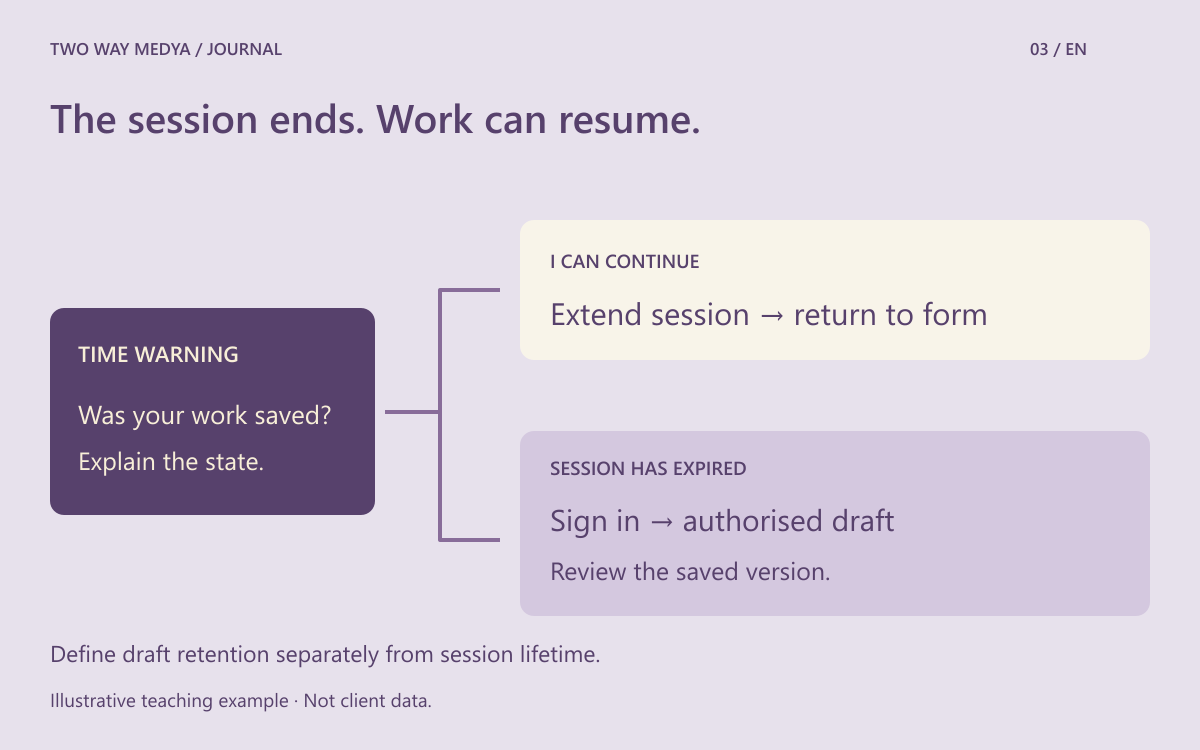
Describe the time limit and the draft separately
Identify why a limit exists: protecting an idle account, enforcing a genuine reservation window or meeting another business requirement. Then specify which fields can be retained and for how long. Ending authentication and deleting all working data are separate product decisions. Retaining a draft does not justify displaying it to the next person using a shared computer. Agree both lifecycles with the business, designer and developer.
Offer more than a countdown
W3C’s Timing Adjustable guidance describes ways to remove, adjust or extend limits, alongside exceptions. Its extension option includes at least 20 seconds after a warning and at least ten extensions. This does not certify an entire site. Also test whether the warning is understandable and operable by keyboard; a small timer that merely changes colour is not an adequate explanation of the task.
Make saved status truthful
If the distributor’s product list is stored as a server-side draft, show the last successful save. Do not keep displaying the same reassurance after a new edit that has not yet been stored. Identify unfinished file uploads separately. If autosave has not been implemented, do not imply that it exists. Include whether another team member can access the draft and how the owner can remove it in the initial scope.
Return to the right draft after sign-in
OWASP describes server-enforced expiry and session invalidation on logout. Preserve that boundary while letting an authenticated, authorised user return to their draft. Switching accounts must not populate another person’s fields. Show the draft identity and saved version so the customer can review it before submission. Never put a password or session credential inside the saved form content.
Test shared devices and multiple tabs
With test data, fill several fields, let the session expire and sign in again. Next, log out and use another test account; the previous draft must not appear. Open the same draft in two tabs and check that an older tab does not silently overwrite newer work. Add browser back, refresh and failed autosave cases. Use example documents rather than actual customer records for the rehearsal.
Put recovery conditions in the handover
Record when the warning appears, what is retained, when the draft expires and where continuation leads. State whether edits made after the last successful save can survive a lost connection. The accessible login guide covers authentication itself; this decision concerns returning to work after interruption. Bring the complete scenario to the website design discussion, rather than approving only the appearance of a login screen.
Frequently asked questions
Does every form need autosaved drafts?
No. Consider its length, data sensitivity, account model and retention needs. A short contact form and a distributor portal may need different behaviour.